Make remote pool control easier to manage with an equipment record, clear schedules, and a maintenance handoff that still works when you are away.
Start with the controller model and current documentation
Pentair's IntelliCenter product page identifies the Pentair Pool app as a control option and provides manuals and support resources. Check those resources against the controller installed at your property before following an online walkthrough.
Keep the controller model and software information with the pool records. An older EasyTouch or IntelliTouch installation using ScreenLogic is a different setup; a Pentair logo on the equipment does not establish which instructions apply. If you are unsure, photograph the exterior model label for review.
Source: Pentair: IntelliCenter control system, app information and manuals.
Map the controls to your actual pool
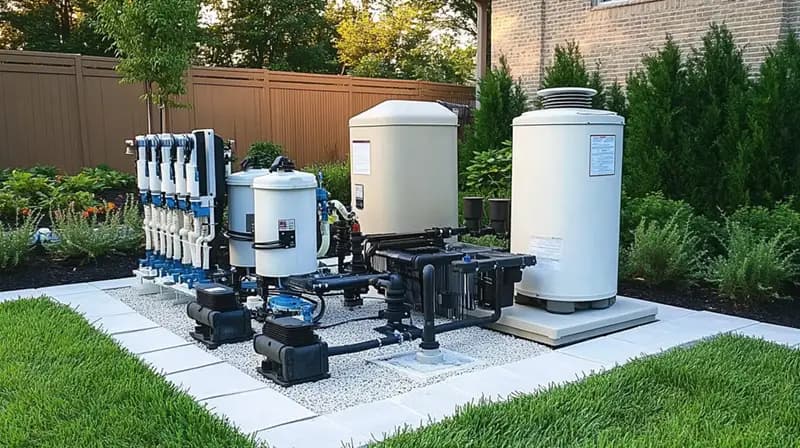
Ask for a simple equipment map: controller, pump, filter, heater, sanitizer, cleaner, and any valves or water features. Mark which devices are controlled through automation and which have their own controls. Save the approved operating setup before requesting changes.
This is particularly useful after moving into a home or replacing equipment. A screen label should make sense to the people using the pool, but a label alone is not proof that a circuit has been correctly configured.
Review schedules as one connected plan
For a La Quinta or Palm Desert home, start with how the pool is used: daily swimming, occasional spa evenings, or long periods away. Give those details to the person reviewing the schedules rather than choosing a universal number of pump hours from a generic checklist.
Keep a dated record of approved changes and their purpose. If you notice a difference in cleaning performance, a new alert, or an unexpected operating pattern afterward, the service team can compare the observation with a specific change.
- What normally runs each day and in which mode
- How a temporary spa session ends
- Which schedules support the sanitizer and cleaner
- Who may make permanent programming changes
- What should be checked after a power or network interruption
Keep salt production separate from a chlorine reading
If the pool has IntelliChlor, record the exact cell model and its control arrangement. Pentair lists automation compatibility for IntelliChlor, but compatibility and available controls must still be verified for the installed components.
An output percentage is a setting, not a laboratory result. Include measured water chemistry in the maintenance record alongside the schedule and any displayed status. Ask the provider to review those together when discussing a concern.
Make a practical handoff for service
Before a visit, collect a screenshot of the issue, the time it occurred, and a note about recent equipment or internet changes. Keep account credentials private. If the system cannot be reached remotely, arrange an on-site check instead of treating the app status as a complete picture of the pool.
JB Pools can discuss cleaning, water care, filter care, and equipment checks for your property. Share the Pentair models in your request so any additional scope can be reviewed.
Common questions
Which app should I use with IntelliCenter?
Pentair's current IntelliCenter page lists the Pentair Pool app. Follow Pentair's setup and compatibility guidance for your controller and software rather than instructions for a different control system.
Can automation replace regular maintenance visits?
The controls can operate supported equipment, but cleaning, physical inspections, and verified water care still need a defined routine and a responsible person.